FileBrowserGO Subscription Now Supports Family Sharing
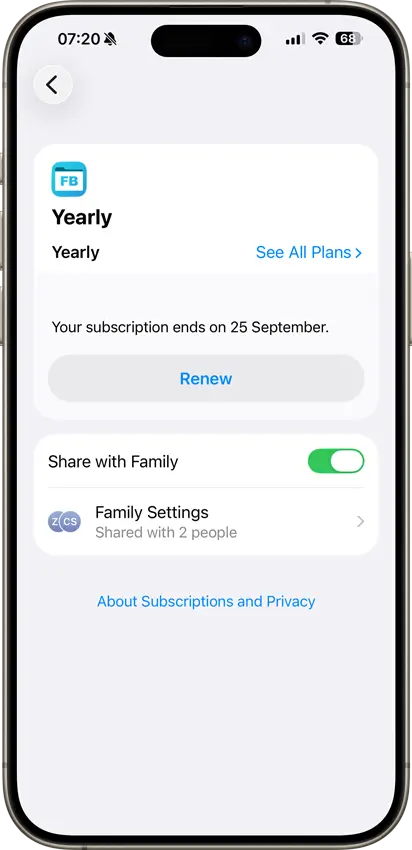
Apple allows developers to enable Family Sharing for eligible App Store subscriptions. This means you only need one active FileBrowserGO subscription for your family when you use Apple Family Sharing.
To use Family Sharing, you first need to have Family Sharing set up on your Apple Account.
- Open 'Settings' on your iPhone / iPad
- Tap 'Family'
- Tap 'Subscriptions'
- Tap 'Manage Your Subscriptions'
- Select 'FileBrowserGO'
- Turn on 'Share with Family'.
Once sharing is enabled, your FileBrowserGO subscription can be shared with the other members of your Family Sharing group. Each family member uses their own Apple Account.
If you haven't already set up Family Sharing, you can add your family members from 'Settings → Family'.
Download a free trial of FileBrowserGO.