Step 1: Create a ZeroTier Account and Network
Setup ZeroTier for remote access to your Mac or PC
Using ZeroTier's free web service we will guide you through creating your own Virtual Private Network, which will allow you to make connections to your Mac or PC from an iPhone or iPad. If your mobile devices are connected via mobile data or coffee shop WiFi, you will be able to securely browse files on your computer at home. No router re-configuration or port-forwarding required. If you need to support a large number of devices then you may need to choose one of ZeroTier's paid options.
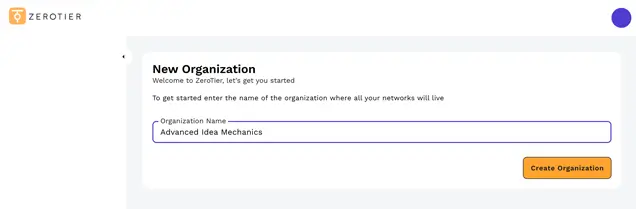
Step 1: Add an Organization
Create a free ZeroTier account at https://my.zerotier.com.
When you signin for the first time you will be asked to add a new organization.

Step 2: Create a Network
A network will be created with a random name. Click the settings tab, change the network name and tap "Save".
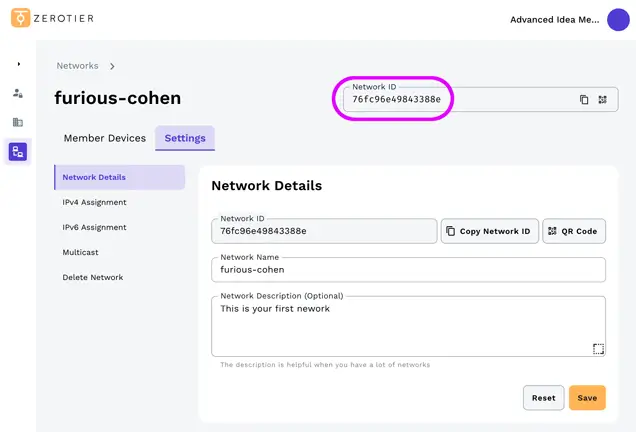
Step 3: Copy your Network ID
You can see your "Network ID" make a note of this you will need this later.
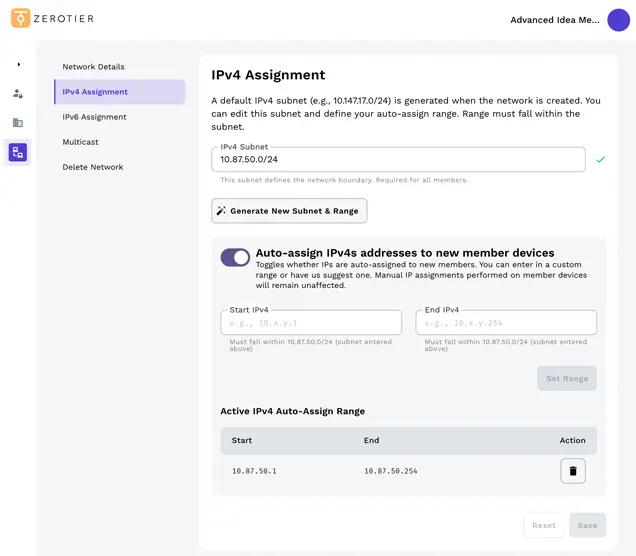
Step 4: Other Options
If setting Zerotier up for home use you can leave the remaining settings at their defaults.
Advanced Option
If you are setting Zerotier up for business or corporate use you may want to change some of these options.
Your network has been created. Now we need to add and authorize your computer Mac/PC and each iOS device to this network.
Next Step
Do you Have a Synology NAS?
If you want to connect to your Synology device over a VPN, you can use Synology’s built-in OpenVPN Server package. Follow our step-by-step guide here.
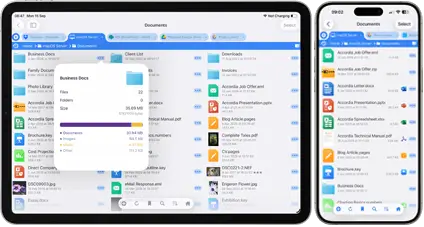
FileBrowserGO Limited Free Trial
Try FileBrowserGO with a limited free trial and securely access your files from anywhere on your iPhone or iPad. Connect over a VPN to browse, download, and manage your files just like you would at home.


Unsure which version of FileBrowser is for you? Check out our comparison page.