How To Play Music from a USB Flash Drive on iPhone & iPad
Want to play music from a USB flash drive on your iPhone or iPad? MusicStreamer lets you browse and play your music directly from a connected USB drive, so you don't need to copy your entire music collection onto your device. It supports USB flash drives, USB sticks and external SSDs.
Set Up MusicStreamer
Follow these steps to add your USB drive as a music source and start playing your music.
Add a Music Source
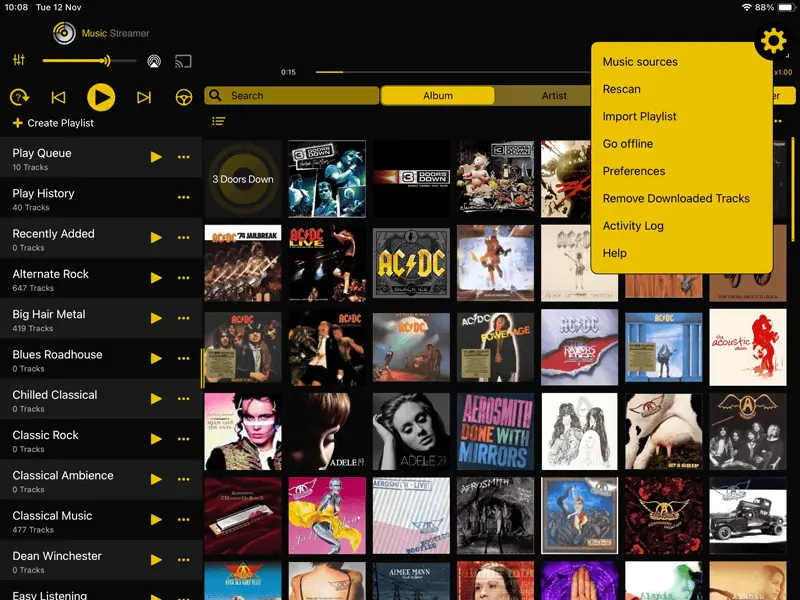
In MusicStreamer tap the Cog icon in the top right corner and select "Music Sources".
Then tap "Add Music Source".
Then select "Choose Music Folder".
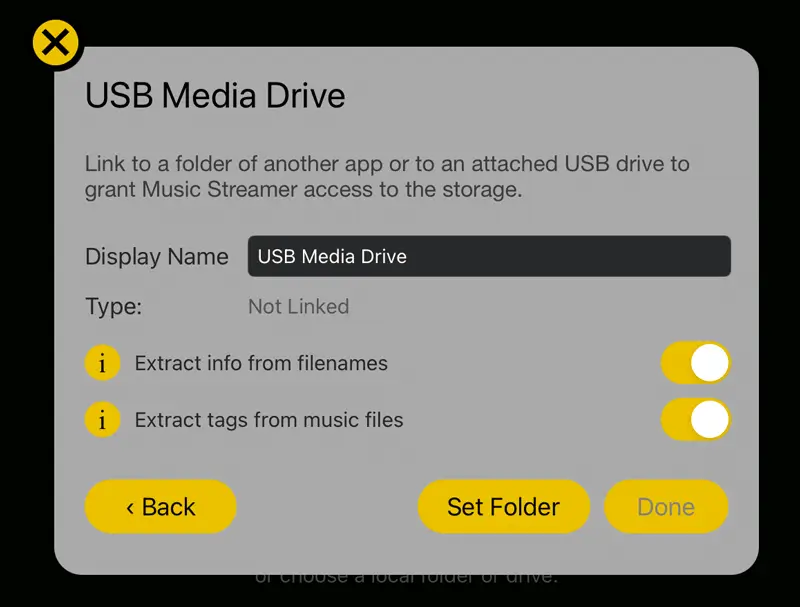
Name your Music Source
Give your new music source a name in the "Display Name" input.
Then tap "Set Folder".
Choose Your Music Folder
In the files selector popup, select your USB Drive in the left hand pane.
Browse to where your music folder is stored and tap "Open".
Works with: Flash Drives, USB Drives, USB Sticks and SSD Drives. You may need a USB C to USB A adapter or similar for your drive depending on your iOS device.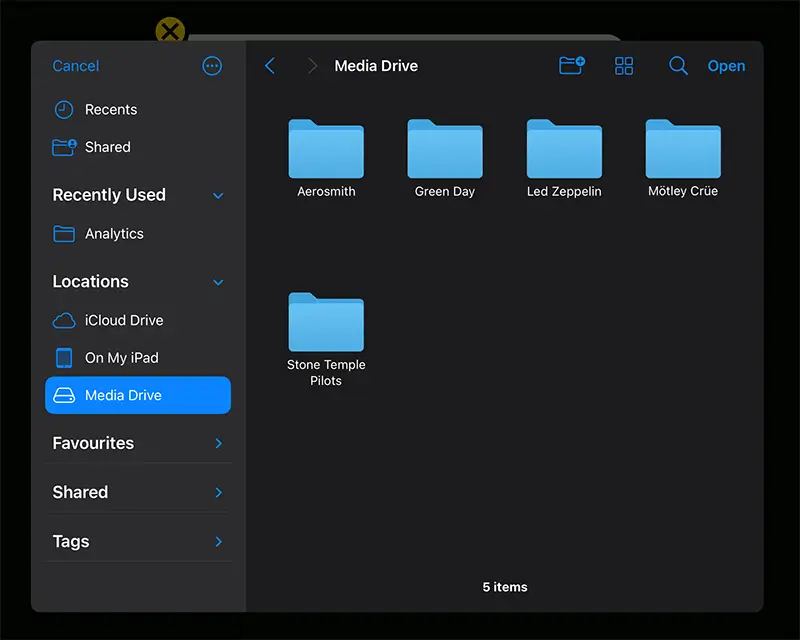
Start Playing Your Music
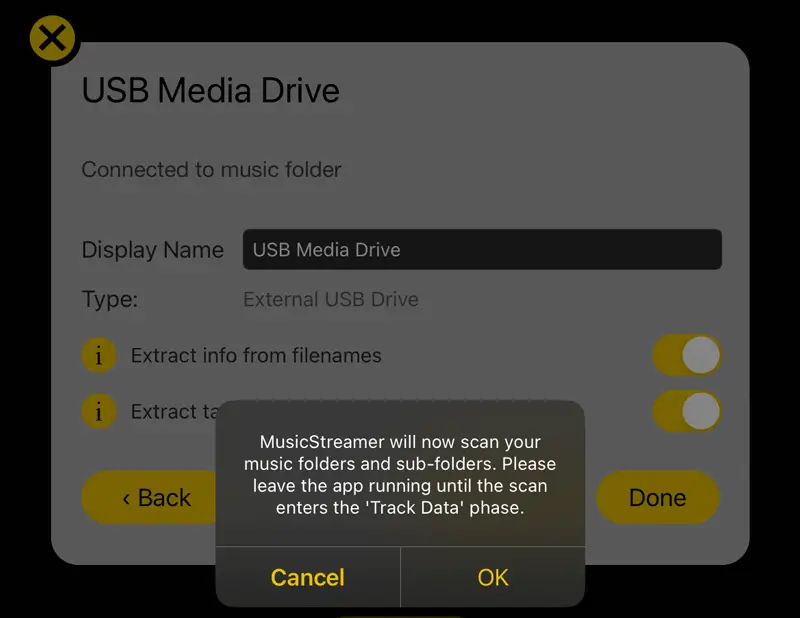
Back in MusicStreamer tap "Done" then confirm the popup.
MusicStreamer will now scan your music collection.

WiFi
MusicStreamer can also play your music files from your computer to your iOS device over WiFi.

iCloud
Upload your music to iCloud and play it from your iOS device from anywhere with MusicStreamer.
Find out More
Download a free trial of MusicStreamer. Available on the App Store. The free version is restricted to 200 songs but allows you to try out all the features of MusicStreamer.

FAQ
-
Are there any apps that play music from an external flash drive or hard drive on iPhone?
Yes, you need an app like MusicStreamer to play music files on an external USB device. You can also stream the files directly from your computer over WiFi.
-
Can I play my entire music collection from a USB drive using my iPhone?
Yes, simply add your USB as a music source to the MusicStreamer app and play your entire music collection.
-
Can I use Apple Music with an external hard drive on my iPhone?
You can't point Apple Music to an external USB drive on your iPhone, but you can with MusicStreamer. It supports USB devices / your iCloud folder and streaming music files from your computer over WiFi.
Free Trial

Download Now