Access Denied When Browsing Shared Folders on Windows 10 Over Network
When connecting to a Windows 10 PC over the network, you may be able to see the computer and connect to it, but receive an “Access Denied” error message in FileBrowser when trying to browse shared folders.
Your user account probally doesn't have access rights to the content.
Here are some suggestions:
Try connecting as Administrator.
The Administrator account should have access to all available folders. You will need to enable this account and to give it a password, click here to see how to enable the Admininstrator account.
Change folder security.
To access the folder security controls, in Windows 10
-
Right-click a folder in Windows File Explorer and choose 'Properties'.
-
Select the 'Security' tab.
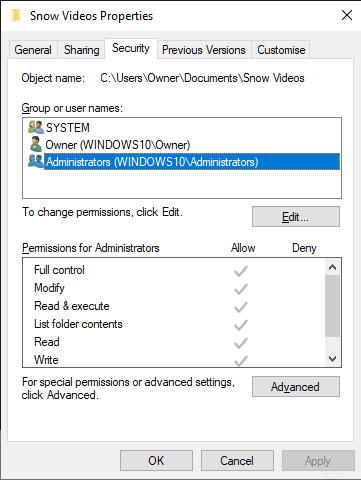
If you don't see this tab it could be that 'Simple File Sharing' is enabled. Cick here for instructions on how to disable Simple File Sharing.
The 'Security' settings tab allows you to control which users have access to shared files and folders. Common options are 'Full Control' (users may read, change and delete files) and 'Read' to limit access so files cannot be changed or removed.
If you need to reset the permissions of all files and folders within your shared folder, you can click the 'Advanced' button to find this option:
-
Replace permission entries on all child objects with entries shown here that apply to child objects.
Selecting this option and clicking OK will reset all permissions to those you set in the table.
Related Topics
- How to enable the Administrator user.
- How to disable Simple File Sharing.
- I now get a different error.
I have a different version of Windows
- Connecting to Windows 7 over the network error message: Access Denied
- Connecting to Windows Vista over the network error message: Access Denied
- Connecting to Windows XP over the network error message: Access Denied
About FileBrowser
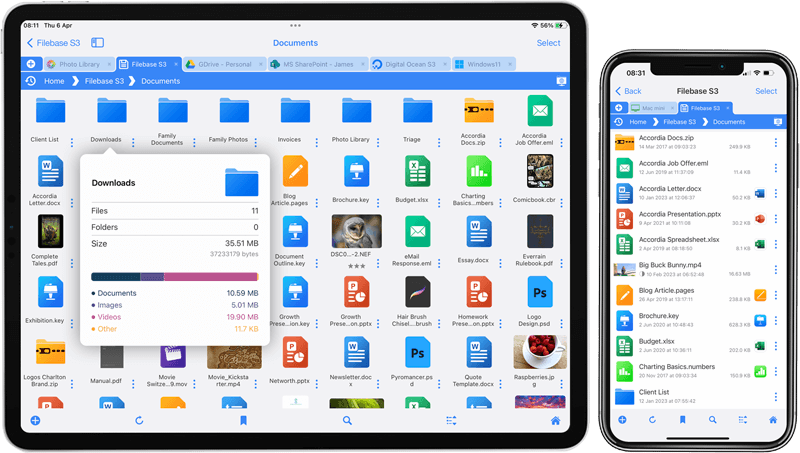
FileBrowser provides reliable access to files stored on Windows PCs, NAS drives, and other network storage devices directly from iPhone and iPad.
Whether you are connecting on a home network, office network, or VPN connection, FileBrowser is designed for fast and secure access to Windows shared folders, SMB network drives, and file servers.
Download FileBrowser
Access files on your Windows PC, network shares, and NAS drives directly from iPhone and iPad.


Unsure which version of FileBrowser is for you? Check out our comparison page.