User Guide Full Index
 Getting Started
Connect to...
Getting Started
Connect to...
 Navigation
File Listing Options
Navigation
File Listing Options
 Selecting and Copying Files
- File Selection Mode
- Selecting Images in the Image Viewer
- Copying Files
- Drag and Drop
- AirDrop Files
- Share Files
- eMail Files
 Viewing Documents
Annotate/Markup
Merge PDFs
Viewing Documents
Annotate/Markup
Merge PDFs
 Bulk Rename Tools
- Bulk Rename - Add text to filenames
- Bulk Rename - Find and Replace
- Bulk Rename - Add Indexes / Counter
- Bulk Rename - Rename with Dates
- Bulk Rename - Rename using EXIF Data
 Search
 Working with Images
- Rotate Images
- Convert Images
- Create Contact Sheets
- Rate Photos with XMP
- Remove GPS from Photos
- Edit IPTC Properties on Photos
- Slideshows
 Playing Movies
 Playing Music
 Working with Finder
 WebDAV Server
 Sync and Backup
 Custom Tasks
- Create Custom Tasks
- Monitor a Folder for a Keyword and Download Hourly
- Download PDFs from the Last 7 Days
- Trim PDF Pages
- Change IPTC Properties on Images in Bulk
- Rotate Images in Bulk
- Automated Backup of Video Files from a Chosen Folder
- Automate Backup and Deletion of Files Older than a Chosen Date
- Remove GPS from Multiple Photos
- Convert Images in Bulk
 Advanced
Remove GPS Location Metadata from Photos on Mac
Use FileBrowser Pro on your Mac to safely remove GPS (location) metadata from your photos, ensuring your images no longer contain geolocation information before sharing or archiving.
How to remove GPS from photos
You can remove GPS from your photos either individually or in bulk:
- Open the photo you want to remove the GPS information from.
- Click the "i" icon in the top toolbar.
- Then click "Edit IPTC".
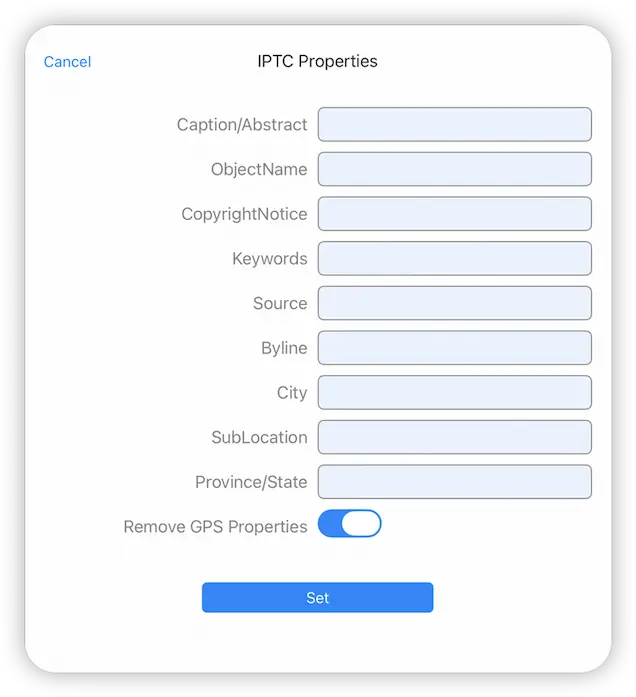
- Now enable the "Remove GPS Properties" switch and click "Set".
Custom Task - Remove GPS from Multiple Photos
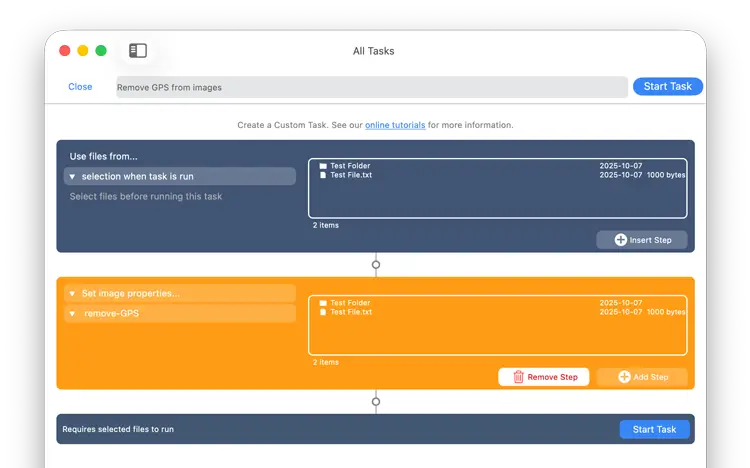
To remove GPS properties from multiple photos you need to create a Custom Task. Follow our simple steps below to create a task that you can re-use easily on any photo selections.
- From FileBrowser for Mac's Home Screen, click the "Sync Files" locations and click the "+" icon in the bottom toolbar and select "Create Custom Task".
- Give your new Custom task a name like "Remove GPS"
- Click the "Insert Step" button
- Change this to new section to "Set image properties" and click the second dropdown turn on "Remove GPS Properties" and click "Set".
- Once done click the "Close" button.
Return to your folder with your photos in:
- Click "Select" then select all the photos you want to remove their GPS Properties from.
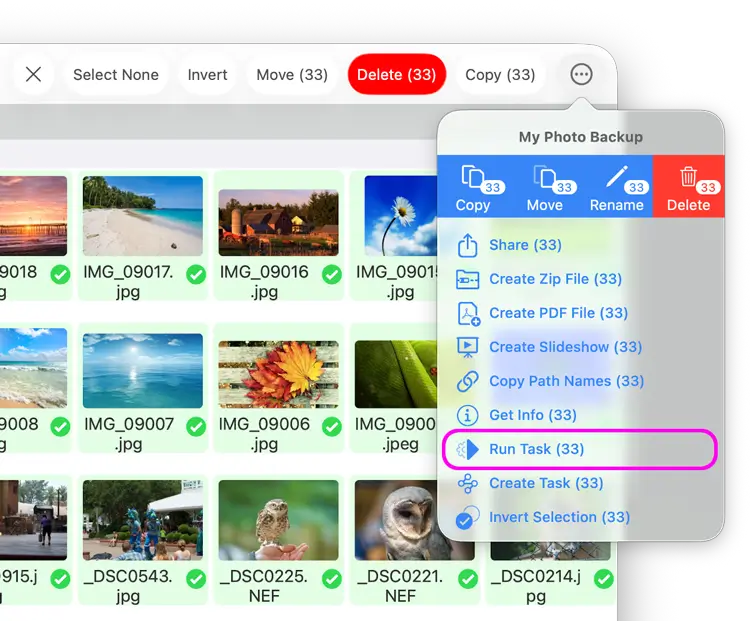
- Click the actions menu and select "Run Task".
- A menu will appear showing you all your Custom tasks, select the new "Remove GPS" task you just created.
- This will show you a summary of changes, click "Start Now".
Your custom task has been saved so you can re-use this on any photos you select in future.